

Spinline Casino App — Play on Mobile & Claim Your Welcome Bonus Anywhere
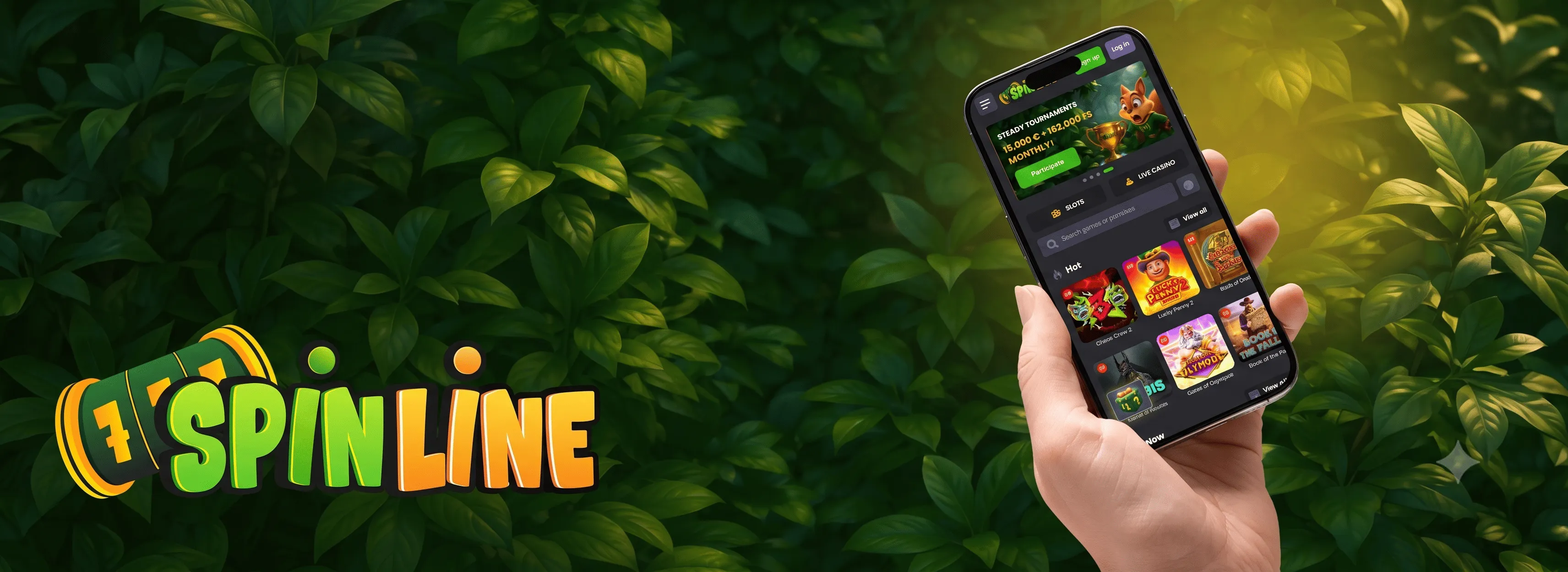
Spinline Casino gives players in New Zealand full access to a broad range of games through the Spinline Casino mobile app, available for both Android and iOS devices. The app delivers a streamlined gaming experience with quick load times and minimal storage requirements. Designed for everyday use, the Spinline Casino mobile platform offers swift installation and reliable performance across compatible devices.
| Feature | Description |
|---|---|
| Software Version | 1.2.3 |
| APK File Size | 15MB |
| iOS File Size | 20MB |
| Compatible OS | Android 5.0+, iOS 10.0+ |
| Interface Languages | English, Māori |
| Downloading | Direct APK, App Store |
| Security | SSL encryption |
| Bonuses | Welcome package, reload bonuses, cashback |
| Tournaments | Daily and weekly events |
| Payment Methods | Credit Card, PayPal, Skrill |
| Currencies | NZD, AUD |
| Customer Support | 24/7 live chat, email |
Bonuses Available on the Spinline Casino Mobile App
The bonus structure covers a range of offers accessible directly through the mobile platform. New players can claim the welcome package across their first four deposits, while returning players have access to weekly cashback, reload promotions, and tournament prizes. Casino Spinline ensures that every bonus available on desktop is equally accessible through the mobile app, so players never miss out regardless of the device they use.
Welcome Bonus
New players receive a four-part welcome package. The first deposit comes with a 100% match up to NZ$500 plus 200 free spins. The second, third, and fourth deposits each offer a 50% match up to NZ$800 plus 200 free spins, giving new accounts strong value right from the start.
Free Spins
Free spins are included as part of the welcome package and select ongoing promotions, giving players additional rounds on eligible pokies without extra cost.
| Bonus Type | Eligible Games | Bonus Description |
|---|---|---|
| Welcome Bonus | Pokies | 100% match up to NZ$500 + 200 FS |
| Reload Bonus | Pokies, Table Games | 50% match up to NZ$800 + 200 FS |
| Cashback | All eligible games | Weekly cashback every Monday |
How to Download the Spinline Casino Mobile App
Installing the Spinline Casino app is a straightforward process compatible with both Android and iOS devices. The Spinline Casino app download is engineered for quick setup, giving players fast access to the full range of pokies, table games, and live dealer titles from any supported mobile device.
Visit the Official Website
Open a mobile browser and navigate to the official platform. Locate the dedicated app section, which contains all available versions along with system requirements and device compatibility details. Selecting the correct version for your device at this stage avoids any installation issues later.
Download and Enable Installation
Android users will need to enable installations from unknown sources in device settings before downloading the APK file. iOS users can proceed directly through the App Store without adjusting any settings. Both processes include system prompts that guide users through secure installation from start to finish.
Launch and Configure the App
Once installed, open the Spinline Casino mobile app for the first time to confirm any required system permissions. The app will sync with device functionalities automatically, ensuring all features are fully operational from the first session onward.
Before downloading, verify that your device meets the minimum OS requirements and that the app supports NZD as a currency. Age restrictions apply in line with New Zealand regulations, and all players must be 18 or older to register and use the platform.
Payment Options on the Spinline Casino Mobile App
The Spinline Casino mobile app processes payment operations smoothly, with multiple methods available to suit different player preferences. Credit cards, e-wallets, mobile banking, and cryptocurrency are all supported, covering the needs of a diverse player base across New Zealand. All transactions within the app are handled in New Zealand Dollars, with minimum deposits starting from NZ$10.
| Payment Method | Supported Currencies |
|---|---|
| Credit Cards | NZD, AUD, USD |
| E-wallets | NZD, AUD, USD, EUR |
| Mobile Banking | NZD |
| Cryptocurrency | BTC, ETH |
| Minimum Deposit | Withdrawal Processing Time |
|---|---|
| NZ$10 | Within 24 hours |
| Fees | Security |
|---|---|
| None | Advanced encryption |
The Spinline Casino app maintains consistent and reliable transaction handling across all supported payment methods. Advanced encryption technology secures every deposit and withdrawal, ensuring player funds and personal data remain protected at all times. The Spinline Casino app NZ is fully optimised for local payment preferences, making it straightforward for New Zealand players to manage their balance, request withdrawals, and track transaction history directly from their mobile device.

How to Install the Spinline Casino Android App
Installing the Spinline Casino Android app requires a minimum Android OS version of 8.0, at least 100MB of free storage, and a stable internet connection. The APK file is sourced directly from the official platform, ensuring authenticity and security before installation begins.
- Go to device Settings, then Security, and enable installations from unknown sources.
- Download the Spinline Casino APK file directly from the official website.
- Open the downloaded file and grant the necessary permissions when prompted.
- Follow the on-screen instructions to complete the installation process.
- Once installed, locate the app icon on the home screen and log in to your account.
Before starting the download, verify that your device meets the minimum system requirements and that sufficient storage space is available. Regional availability applies, and all players must complete age verification in line with New Zealand’s KYC compliance requirements. The Spinline Casino APK is regularly updated to maintain performance standards and security protocols, so checking for the latest version on the promotions or app page before downloading is always a good idea.

Spinline Casino iOS App Compatibility and Installation
The Spinline Casino iOS app is available through the App Store and is built to perform reliably across supported Apple devices. A current iOS version is required to ensure optimal performance, along with sufficient storage space and a stable internet connection before beginning the download.
- Verify that the iOS device is running a compatible and up-to-date software version.
- Confirm that enough storage space is available on the device.
- Access the App Store and search for the Spinline Casino app to begin the download.
- Complete account authentication using existing login credentials or register a new account.
Every iOS installation is subject to Apple ID region compliance checks, network stability assessment, and standard device permission requirements. These steps are in place to ensure a secure and efficient setup from the outset. The Spinline Casino mobile app on iOS delivers the same full feature set available on desktop, including access to pokies, live dealer games, promotions, and the NZD cashier. Players are advised to keep the app updated to benefit from the latest performance improvements and security patches.
FAQs
Does the Spinline Casino app support biometric login on mobile devices?
Yes, both fingerprint and facial recognition are supported on compatible devices. Biometric login provides a faster and more convenient way to access the account without entering credentials manually each time, while maintaining the same level of security as standard password authentication.
Is it possible to play for free in demo mode through the Spinline Casino mobile app?
Selected pokies and table games are available in demo mode without requiring a real money deposit. This allows players to familiarise themselves with game mechanics and features before committing funds, making it a practical option for new players exploring the platform.
Will the Spinline Casino app work on tablets as well as smartphones?
Yes, the Spinline Casino mobile platform is optimised for both smartphones and tablets running compatible Android or iOS versions. The interface adjusts automatically to fit larger screens, providing a comfortable gaming experience without any loss of functionality or visual quality.
Can players access live dealer games through the Spinline Casino mobile?
Live dealer titles are fully accessible through the mobile app, including popular options such as live blackjack, roulette, and baccarat. A stable internet connection is recommended for the best experience, as live streaming requires consistent bandwidth to maintain smooth video and gameplay quality.
How often is the Spinline Casino app updated?
The Spinline Casino app NZ receives regular updates to address performance improvements, security patches, and new feature releases. Players are notified through the App Store or directly within the app when an update is available, and installing updates promptly ensures the best possible experience.
Does the app consume a lot of mobile data during gameplay?
Data consumption varies depending on the game type. Standard pokies use relatively modest amounts of data, while live dealer games require more due to video streaming. Connecting to a Wi-Fi network is recommended for extended sessions, particularly when playing live casino titles or downloading app updates.